
// SYSTEM: DIGEST // LIVE
AI WORKFLOW
OPINION
TUTORIALS
ChatGPT
ChatGPT
William Smith
William
CONVERSATIONS WITH CODE

Grok Aurora vs ChatGPT vs Gemini: AI Character Consistency Guide

This guide is specifically about keeping a character (face, outfit, vibe) consistent across scenes while using Grok, ChatGPT, or Gemini's Nano Banana 2.

You generated one great image of your character. You generate the next one — and it's a different person. Different face. Different jawline. Hair color shifted. That's character drift, and it's the single biggest reason AI image series fall apart.

This guide is specifically about keeping a character (face, outfit, vibe) consistent across scenes. Not style. Not lighting. Not composition. Those matter too, and we'll get to them — but if your character looks like a different person from panel to panel, none of the rest helps.

Pick your tool below and skip to the section that applies. Each one has a different lever for locking a character in place — Gemini Nano Banana and Grok Aurora use uploaded reference images, ChatGPT holds context inside a chat thread, Midjourney has a dedicated --cref flag, and DALL·E is the hard mode.

Gemini Nano Banana — use multi-image input for best character lock

Gemini's Nano Banana series is the strongest tool right now for character lock, because it fuses multiple image inputs into one generation.

"Use the character from image 1, placed in the setting from image 2. Keep the character's face, hair, and outfit identical."

You can build entire storyboards this way. The character image stays pinned across every generation — you only swap the scene reference.

If you don't have a canon image yet, generate one first, commit to it, then never re-roll it. That image is now the source of truth for every future scene.

ChatGPT image generation — use multi-turn in a single thread

ChatGPT's image generation holds context inside a chat thread. Generate your character in turn 1, then reference "the same character from the previous image" in turn 2, 3, 4 — and it'll mostly hold.

"Same character, same outfit. Now show her standing on a rooftop at night."

If something's slightly off, fix it in place rather than starting over:

"Keep everything the same — just make her hair a bit more orange."

This is called multi-turn generation, and it's how you avoid the "start from scratch every time" trap that kills consistency.

Grok Aurora character consistency — stay in the chat, lean on photorealism

Grok's Aurora model is the new kid on the character-consistency block, and it's worth knowing where it fits. Grok runs inside X and at grok.com, and it lets you upload reference images directly into a chat thread — same general pattern as ChatGPT, with a few twists worth knowing.

  1. Upload your canon character image at the start of a new Grok chat.
  2. Be aggressively specific in your prompt. Aurora rewards detail: not "red hair" but "shoulder-length wavy auburn hair, slightly tousled, parted on the left."
  3. Stay in the same thread. Don't open a fresh chat for each scene — Aurora loses context the moment you do.
  4. When drift starts, re-paste the canon image as a reference in the new prompt. Don't trust the chat memory alone past a handful of turns.

If you're publishing to X anyway, Aurora has one real advantage no other tool can match: you can generate and post in the same place. The distribution loop is built in.

Midjourney v7 character reference — use --cref flag

Midjourney has a dedicated character-reference flag. Drop your canon image into Discord, copy its URL, then attach it to every prompt:

your scene description --cref <character-image-url> --cw 100

--cw 100 is character weight at maximum — Midjourney will hold the face hard. Drop it to 50 if you want some flexibility in expression or angle, but you'll lose some likeness.

Pair with --sref (style reference) if you also want the same artistic style across the series.

DALL·E 3 character consistency — this is the hardest path

DALL·E 3 doesn't have image-reference input the way the others do. You're working purely from text prompts, which makes character lock fragile.

"Luna: a red-haired pilot with shoulder-length wavy hair, green goggles pushed up on her forehead, freckles, brown leather aviator jacket, white scarf, dark green cargo pants, brown boots. Flat pastel illustration style."

Same words. Every time. The second you paraphrase, the model drifts.

Honestly — if you're doing serious character work and you're not locked into DALL·E for a specific reason, switch tools. Gemini, Grok Aurora, and Midjourney will save you hours.

The cross-tool tricks that always work

These help regardless of which tool you're using:

  • Name your character in the prompt. "Luna" works better than "the pilot." Even a placeholder name like "Mascot Bunny" gives the model an anchor to latch onto.
  • Don't paraphrase your descriptions. "Wavy red hair" and "curly auburn hair" will give you two different characters. Pick the phrasing, save it, paste it.
  • Save your prompts as source files. Treat them like code. You will need to regenerate or extend in 3 months and you will not remember the exact wording. Trust me.
  • Compare side by side before publishing. Pull up all your generations in one grid. The drift you didn't notice in isolation will scream at you.
  • One model per project. Don't mix Gemini, Grok Aurora, and Midjourney for the same character series. Each has its own visual fingerprint, and they don't blend cleanly even with the same prompt.

A quick workflow if you're starting today

  1. Generate 4–6 candidate "canon" images of your character. Pick one. Commit. Don't second-guess.
  2. Whatever tool you picked, lock that canon image into the input slot (Gemini multi-image, Midjourney --cref, ChatGPT thread, or DALL·E DNA prompt).
  3. Change only the scene description. Leave the character spec untouched.
  4. Refine in place, don't restart. Surgical edits ("same image but X different") beat fresh generations.
  5. Side-by-side review every 3–4 outputs. Catch drift early.

Why this is worth getting right

Character consistency is what separates a series from a stack of one-off images. If you're building a comic, a brand mascot, a children's book, a product line, a story-driven Instagram feed — consistency is what makes readers trust that they're in a coherent world. Without it, every image reads as a remix of someone who looks vaguely similar to the last one, and the story breaks.

You don't need to be technical to get this right. You need a repeatable process and one rule you don't break: the canon image is sacred. Never re-roll it. Build everything else off of it.

Now go make something cohesive — and cool.

← Back to Digest

Grok Aurora vs ChatGPT vs Gemini: AI Character Consistency Guide

This guide is specifically about keeping a character (face, outfit, vibe) consistent across scenes while using Grok, ChatGPT, or Gemini's Nano Banana 2.

Grok Aurora vs ChatGPT vs Gemini: AI Character Consistency Guide
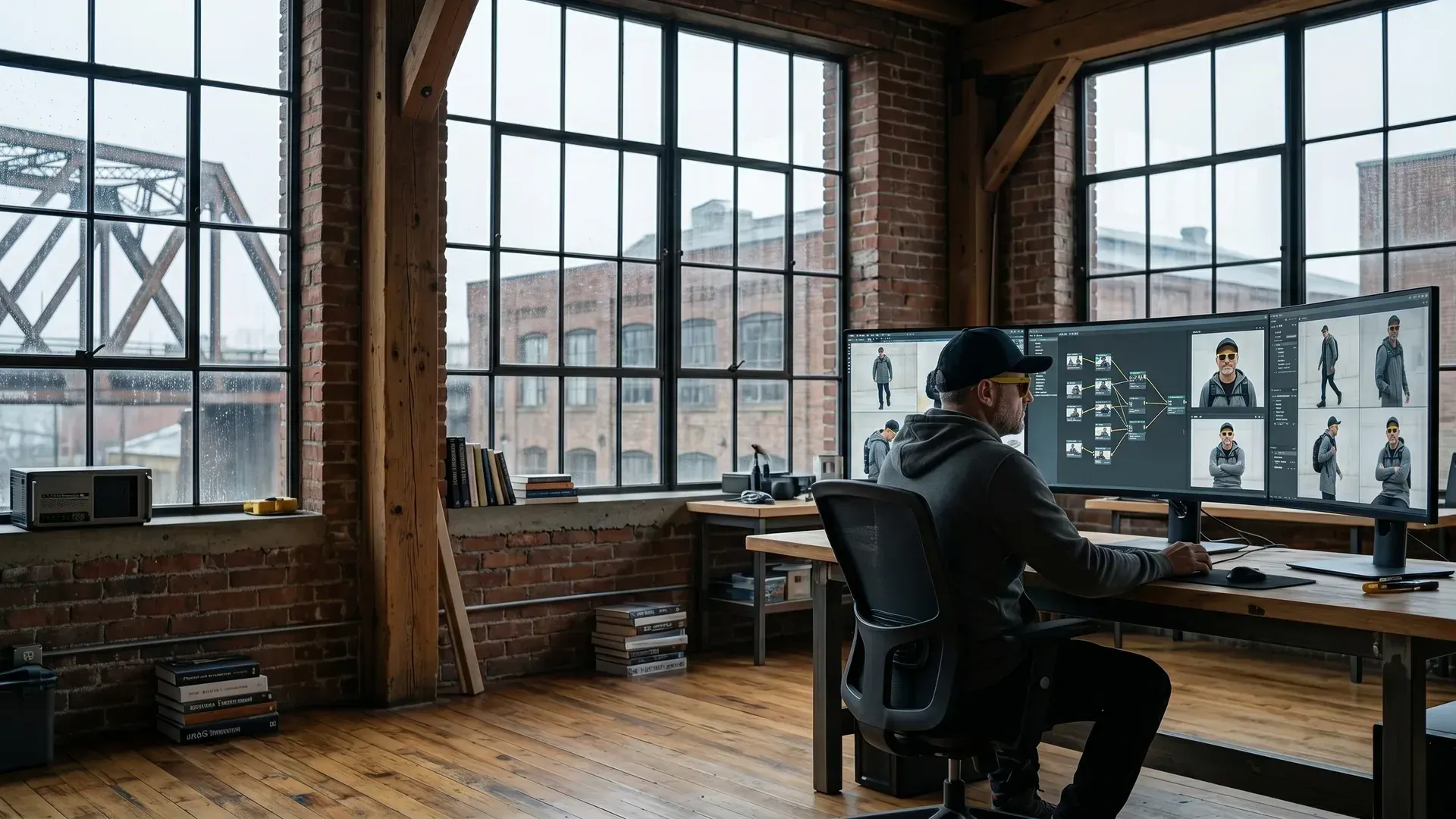
The Man in Yellow Sunglasses, wearing his signature yellow-framed glasses and a black baseball cap, is seated at an expansive ultra-wide monitor within the industrial-chic loft of The Daring Creatives HQ.

You generated one great image of your character. You generate the next one — and it's a different person. Different face. Different jawline. Hair color shifted. That's character drift, and it's the single biggest reason AI image series fall apart.

This guide is specifically about keeping a character (face, outfit, vibe) consistent across scenes. Not style. Not lighting. Not composition. Those matter too, and we'll get to them — but if your character looks like a different person from panel to panel, none of the rest helps.

Pick your tool below and skip to the section that applies. Each one has a different lever for locking a character in place — Gemini Nano Banana and Grok Aurora use uploaded reference images, ChatGPT holds context inside a chat thread, Midjourney has a dedicated --cref flag, and DALL·E is the hard mode.

Gemini Nano Banana — use multi-image input for best character lock

Gemini's Nano Banana series is the strongest tool right now for character lock, because it fuses multiple image inputs into one generation.

"Use the character from image 1, placed in the setting from image 2. Keep the character's face, hair, and outfit identical."

You can build entire storyboards this way. The character image stays pinned across every generation — you only swap the scene reference.

If you don't have a canon image yet, generate one first, commit to it, then never re-roll it. That image is now the source of truth for every future scene.

ChatGPT image generation — use multi-turn in a single thread

ChatGPT's image generation holds context inside a chat thread. Generate your character in turn 1, then reference "the same character from the previous image" in turn 2, 3, 4 — and it'll mostly hold.

"Same character, same outfit. Now show her standing on a rooftop at night."

If something's slightly off, fix it in place rather than starting over:

"Keep everything the same — just make her hair a bit more orange."

This is called multi-turn generation, and it's how you avoid the "start from scratch every time" trap that kills consistency.

Grok Aurora character consistency — stay in the chat, lean on photorealism

Grok's Aurora model is the new kid on the character-consistency block, and it's worth knowing where it fits. Grok runs inside X and at grok.com, and it lets you upload reference images directly into a chat thread — same general pattern as ChatGPT, with a few twists worth knowing.

  1. Upload your canon character image at the start of a new Grok chat.
  2. Be aggressively specific in your prompt. Aurora rewards detail: not "red hair" but "shoulder-length wavy auburn hair, slightly tousled, parted on the left."
  3. Stay in the same thread. Don't open a fresh chat for each scene — Aurora loses context the moment you do.
  4. When drift starts, re-paste the canon image as a reference in the new prompt. Don't trust the chat memory alone past a handful of turns.

If you're publishing to X anyway, Aurora has one real advantage no other tool can match: you can generate and post in the same place. The distribution loop is built in.

Midjourney v7 character reference — use --cref flag

Midjourney has a dedicated character-reference flag. Drop your canon image into Discord, copy its URL, then attach it to every prompt:

your scene description --cref <character-image-url> --cw 100

--cw 100 is character weight at maximum — Midjourney will hold the face hard. Drop it to 50 if you want some flexibility in expression or angle, but you'll lose some likeness.

Pair with --sref (style reference) if you also want the same artistic style across the series.

DALL·E 3 character consistency — this is the hardest path

DALL·E 3 doesn't have image-reference input the way the others do. You're working purely from text prompts, which makes character lock fragile.

"Luna: a red-haired pilot with shoulder-length wavy hair, green goggles pushed up on her forehead, freckles, brown leather aviator jacket, white scarf, dark green cargo pants, brown boots. Flat pastel illustration style."

Same words. Every time. The second you paraphrase, the model drifts.

Honestly — if you're doing serious character work and you're not locked into DALL·E for a specific reason, switch tools. Gemini, Grok Aurora, and Midjourney will save you hours.

The cross-tool tricks that always work

These help regardless of which tool you're using:

  • Name your character in the prompt. "Luna" works better than "the pilot." Even a placeholder name like "Mascot Bunny" gives the model an anchor to latch onto.
  • Don't paraphrase your descriptions. "Wavy red hair" and "curly auburn hair" will give you two different characters. Pick the phrasing, save it, paste it.
  • Save your prompts as source files. Treat them like code. You will need to regenerate or extend in 3 months and you will not remember the exact wording. Trust me.
  • Compare side by side before publishing. Pull up all your generations in one grid. The drift you didn't notice in isolation will scream at you.
  • One model per project. Don't mix Gemini, Grok Aurora, and Midjourney for the same character series. Each has its own visual fingerprint, and they don't blend cleanly even with the same prompt.

A quick workflow if you're starting today

  1. Generate 4–6 candidate "canon" images of your character. Pick one. Commit. Don't second-guess.
  2. Whatever tool you picked, lock that canon image into the input slot (Gemini multi-image, Midjourney --cref, ChatGPT thread, or DALL·E DNA prompt).
  3. Change only the scene description. Leave the character spec untouched.
  4. Refine in place, don't restart. Surgical edits ("same image but X different") beat fresh generations.
  5. Side-by-side review every 3–4 outputs. Catch drift early.

Why this is worth getting right

Character consistency is what separates a series from a stack of one-off images. If you're building a comic, a brand mascot, a children's book, a product line, a story-driven Instagram feed — consistency is what makes readers trust that they're in a coherent world. Without it, every image reads as a remix of someone who looks vaguely similar to the last one, and the story breaks.

You don't need to be technical to get this right. You need a repeatable process and one rule you don't break: the canon image is sacred. Never re-roll it. Build everything else off of it.

Now go make something cohesive — and cool.

// LEXICON_CITY_DISPATCH_REQ
// STATUS: CONNECTION_STABLE
// SOURCE: CENTRAL_DISPATCH_HQ

SHERMAN UPLINK: "I'm at HQ holding down Central Dispatch. Enter your query below to pull relevant data records and I'll see what data cards we've recovered!"