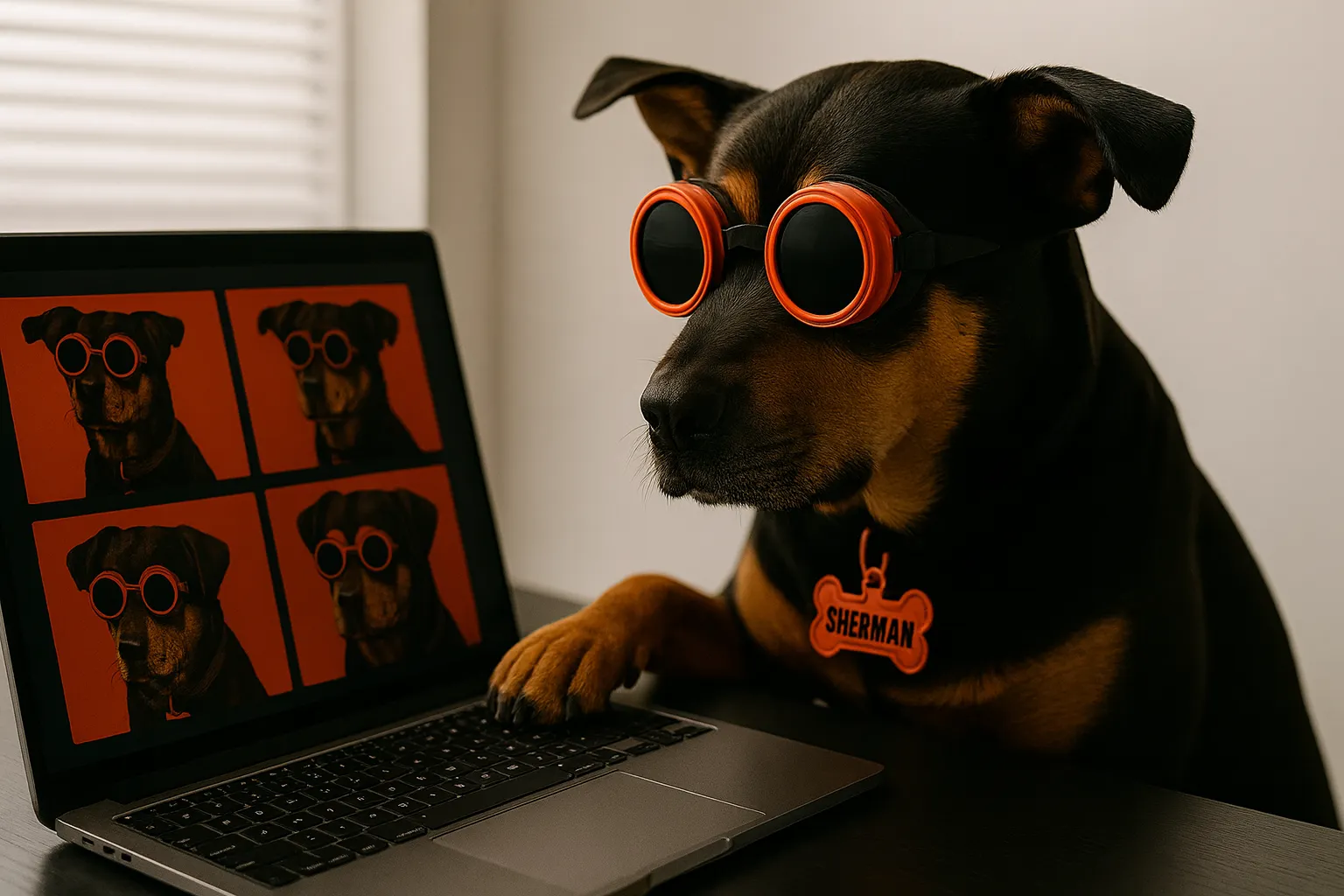
If you're here, you're probably a creative — maybe a designer, illustrator, brand builder, or storyteller — and you're dabbling (or diving) into AI-generated visuals.
Awesome. It's a powerful tool, but let's be real: getting one good image is fun. Getting a series of images that actually look like they belong together? Whole different story.
This guide is your crash course in maintaining character consistency with AI image generation — across the tools people actually use right now: ChatGPT, Google's Gemini (Nano Banana), Grok's Aurora, and Midjourney. It's not about pressing "generate" and hoping for the best. It's about feeding the machine the right info, with intention.
I'll walk you through the why, the how, and my go-to techniques that'll save you from reinventing the visual wheel every time. If you want a head-to-head breakdown of which tool locks a character best, I go tool-by-tool in AI Character Consistency: Grok Aurora vs ChatGPT vs Gemini.
Why Character Consistency Matters
Whether you're creating a character-driven comic, a branded product series, or just building a cohesive visual vibe across your work, consistency is what holds it together.
We're talking:
- Character consistency — same face, outfit, vibe across scenes
- Style consistency — same brush strokes, same lighting, same medium
- Scene logic — settings that make sense together (sunset doesn't jump back to midday unless it's a time-travel story)
Older models forgot everything between prompts. Today's tools — Gemini's Nano Banana, ChatGPT, Grok Aurora, and Midjourney's character reference — give you real levers to lock a character in place, if you use them right.
Best Practices (for Non-Techies Who Want Pro Results)
1. Create a "Prompt Template"
Think of this like a brand style guide, but for AI. Start your session with a detailed prompt that locks in your key features. Example:
"Generate an illustration of Luna, a red-haired pilot with green goggles and a leather jacket, in a flat pastel art style."
Then — here's the trick — use this exact phrasing across every image prompt. Copy/paste and just change the scene. Repeat her full description every time. Don't assume the model remembers. Be your own prompt parrot.
2. Use Iterative Refinement Instead of Starting Over
If an image isn't quite right, don't throw it out and start fresh. That's how you lose consistency. With ChatGPT or Gemini, you can say things like:
"Great, but can you make her hair a bit more orange and keep everything else the same?"
This method — called multi-turn generation — helps the AI evolve the image while keeping all the locked-in details stable. The catch: stay in the same thread. Open a fresh chat for each scene and you lose the context that's holding your character together.
3. Use Reference Images (Even Rough Sketches Work)
You can upload a prior image and say "use this as reference." This helps a ton with character appearance and styling — even screenshots of previous generations work as anchors.
Gemini (Nano Banana) and Grok's Aurora are especially strong here; both take uploaded reference images directly. With Nano Banana you can fuse multiple inputs at once:
"Use this character and place her in this background."
You can build whole storyboards this way. Decide on one "canon" image of your character, commit to it, and never re-roll it — that image becomes the source of truth for every future scene.
4. Stick with One Model Per Project
Don't mix ChatGPT with Midjourney and then toss in Gemini or Grok. Each model has its own "look," even with the same prompt. If you're building a brand kit, product series, or comic strip — pick one and ride it through.
5. Be Consistent with Your Style Phrasing
Want all images to look like watercolor or flat vector? Pick your words and stick to them. Example:
✅ "in a minimalist flat vector art style with pastel colors"
🚫 "in a flat style" then later "in a simple art style"
These models are picky. Even subtle wording changes can throw off the look — "wavy red hair" and "curly auburn hair" will hand you two different characters.
6. Lock the Face with a Reference Photo
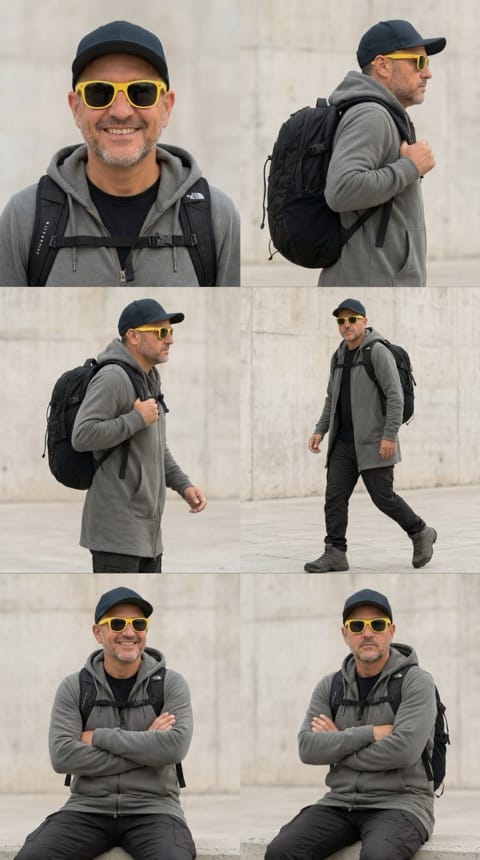
The fastest way to lose a character is to let the face drift. The fix: pick one "canon" image of your character's face and feed it back as a reference on every generation. Gemini's Nano Banana (and the newer Nano Banana Pro 2) and Grok's Aurora both take an uploaded reference directly — "same person, same face, new scene." Working from a real person? A clean, front-facing photo locks far better than a busy or angled one. The clearer the reference, the tighter the lock.
7. Build a Scene Series One Shot at a Time
For a storyboard, comic, or product series, don't batch-generate the whole set and hope. Go scene by scene: lock your character in the first image, then carry that exact image forward as the reference for the next one, changing only the background or the action. Each shot inherits the last one's look instead of drifting. Slower than generating ten at once, but it's the difference between a coherent series and five strangers wearing the same jacket.
Which Tool Holds a Character Best in 2026
The models aren't equal at this, and it's changed a lot in the last year:
| Tool | Best for | How you lock the character | Holds consistency |
|---|---|---|---|
| Gemini Nano Banana / Pro 2 | Fusing a character into a scene | Upload character + scene, let it fuse | ★★★★★ Strongest |
| Grok Aurora | Photorealism, real-person refs | Upload a reference, stay in one chat | ★★★★☆ Strong |
| ChatGPT | Multi-turn edits in one thread | “Keep the same character from this image” | ★★★★☆ Strong (in-thread) |
| Midjourney v7 | Stylized comic / product series | --cref pointed at your canon image | ★★★☆☆ Good |
Gemini Nano Banana / Nano Banana Pro 2 — strongest at multi-image input. Upload your character and a scene and it fuses them. My default for character work.
Grok Aurora — great with reference photos and photorealism. Stay in one chat and it holds the look.
ChatGPT — best inside a single thread using multi-turn. Upload your prior images and say "keep the same character from this one."
Midjourney v7 — use the --cref (character reference) flag pointed at your canon image.
Whatever you pick, stay in it for the whole project (see #4). If you want the full head-to-head, I broke each tool down here: AI Character Consistency: Grok Aurora vs ChatGPT vs Gemini.
My Tips from the Trenches
- 💡 Give your characters names in the prompt, even if they're just "Mascot Bunny" or "Pilot Girl." It helps lock the model onto a specific visual identity.
- 💡 Ask for alternate angles of the same scene. ChatGPT is great at this.
- 💡 Visual compare. Put your images side-by-side before publishing. Is one slightly off? Fix just that detail: "Move her goggles to the forehead like the last image" is a valid prompt.
- 💡 Save your prompt text like source files. Track your inputs, reference images, and versions. Future You will thank you.
💡 Once you've got a repeatable process, you can automate it. I did exactly that — here's the system that keeps my characters consistent while I sleep.
A Quick Recap Workflow
- Initial prompt: define the subject + style.
- Generate image: lock in the look.
- Refine: fix anything off without starting from scratch.
- Extend: create more scenes — repeating key traits + style.
- Review & tweak: side-by-side comparison for continuity.
- Repeat with intention.
Bonus: in ChatGPT, upload previous images into the thread and say "keep the same character from this image" — it holds context during that session. In Midjourney, the --cref flag does the same job from a reference URL.
Quick Answers
What's the best AI image generator for consistent characters?
In 2026, Gemini's Nano Banana (or Nano Banana Pro 2) and Grok Aurora are the easiest for most people, because they take a reference image directly. Midjourney v7 works well with --cref. Honestly, the "best" tool is the one you commit to for the whole project — switching mid-way is what breaks consistency.
How do I keep a character's face consistent?
Pick one canon image of the face and pass it back as a reference on every generation (technique #6). A clean, front-facing reference locks better than a busy one.
Do reference images actually work?
Yes — they're the most reliable method there is. Uploading a "use this character" image beats describing the same face in words every time.
Can I keep a character consistent across a whole scene series?
Yes, but go one shot at a time (technique #7): carry the previous image forward as the reference and change only the scene.
Final Thought: Consistency = Professionalism
You don't need to be a technical wizard to make this work. You just need a repeatable process, some visual discipline, and a little bit of storytelling glue.
Consistency builds trust. Whether it's your brand, your story, or your style, when your visuals line up, people believe you. Now go make something cohesive — and cool.