
// SYSTEM: DIGEST // LIVE
AI WORKFLOW
OPINION
TUTORIALS
ChatGPT
ChatGPT
William Smith
William
CONVERSATIONS WITH CODE

Your AI Assistant Just Got Hands

OpenAI's new Chrome extension for Codex isn't just browser automation — it's the first real attempt at AI agents that can see and control the same interfaces creatives use daily.

OpenAI just rolled out something that sounds boring but isn't: a Chrome extension for Codex that lets AI agents run browser sessions independently. They're testing "Remote Control" functionality too.

This isn't about coding. This is about what happens when AI can actually operate the tools we live in every day.

Right now, every AI workflow I run hits the same wall: I can get Claude to write the perfect article, but then I have to manually navigate to Ghost, paste it in, format it, add images, set categories, schedule it, and share it on social. The AI does the thinking; I do the clicking.

That handoff kills momentum. You're in flow with the AI, bouncing ideas back and forth, then suddenly you're dragging files around and clicking through menus like it's 2010.

The Interface Problem

Most AI integration discussions focus on APIs and plugins. But that's not how creatives actually work. We work in Figma, not Figma's API. We work in Webflow, not Webflow's documentation. We work in Ghost, Adobe Creative Suite, Notion — visual interfaces built for human hands and eyes.

Browser control changes this completely. Instead of waiting for every tool to build AI integrations, the AI can just use the same interfaces you do. Show Claude how to upload images to your CMS once, and it can handle hundreds of uploads using the same visual process you'd use.

I've been running automated content pipelines with Claude and Ghost for months. The writing part is smooth. The publishing part is still manual busywork. An AI that can see buttons and click them eliminates that friction entirely.

What This Actually Looks Like

Imagine training an AI assistant by screen recording instead of prompt engineering. You show it how to update a client's website, how to format posts for different platforms, how to resize images in an online editor. The AI learns by watching, not by reading documentation.

This is fundamentally different from traditional automation. Selenium scripts break when interfaces change. An AI agent adapts the same way you do — it looks for the submit button even if it moved to a different corner.

The HTML effectiveness research from Anthropic's Claude Code team backs this up. HTML output dramatically outperforms Markdown for creative workflows because AI works better with rich, visual formats. Browser control is the logical next step: AI that doesn't just output HTML, but actually manipulates it.

The Creative Workflow Revolution

This isn't about replacing creative work. It's about eliminating the administrative overhead that prevents you from focusing on creative decisions.

Right now, if I want to publish the same article across three platforms, I need to manually navigate to each one, adjust formatting for their specific requirements, upload images multiple times, and remember each platform's quirks. With browser control, I could show an AI this process once and have it handle the distribution while I focus on the next piece.

Content creators are already demanding this. There's a running joke that all clients wanted carousels, now they want AI chatbots. But what they really want is AI that can actually do things in their existing tools, not just generate text they still have to manually implement.

The Training Problem

Here's what makes this different from previous automation: the training method. Instead of writing detailed prompts or waiting for API integrations, you train the AI by demonstration. It's like hiring an assistant who learns by watching over your shoulder.

I've seen this with my own Claude Code experiments. When it took over my Ghost theme redesign, it wasn't just clicking buttons randomly. It was making aesthetic and functional decisions based on understanding the platform's creative possibilities. That's not automation — that's delegation.

The challenge isn't technical capability. It's trust building. Nobody's going to let an AI agent loose on their client's website until they've tested it extensively on low-stakes tasks. The early adopters will start with repetitive work: uploading assets, formatting posts, data entry. Trust expands from there.

What Changes

Browser control means AI moves from being a writing assistant to being a creative operations manager. It can handle the entire pipeline from ideation to distribution, using the same tools you use.

This solves the current AI workflow problem where you're constantly context-switching between AI chat and creative tools. Instead of copy-pasting between interfaces, the AI works directly in your creative environment.

It also democratizes complex automations. You don't need to be a programmer to automate repetitive creative tasks anymore. You just need to be able to show an AI how to do something once.

The real test isn't whether this technology works — it's whether creatives will trust it enough to actually use it. But given how much time we spend on interface busywork instead of creative work, I think the answer is yes.

Your AI assistant just got hands. The question isn't whether it'll learn to use them — it's what you'll build once you're not clicking buttons all day.


## Generated Images

> Seven variants below — three standard compositions, one documentary (foreground bokeh), and three dynamic-angle "spatial" compositions for parallax video.
> To request a fix on any one, add a checkbox under `## Image Touch-ups` like:
> `- [ ] spatial-square: remove the random hand on the right`

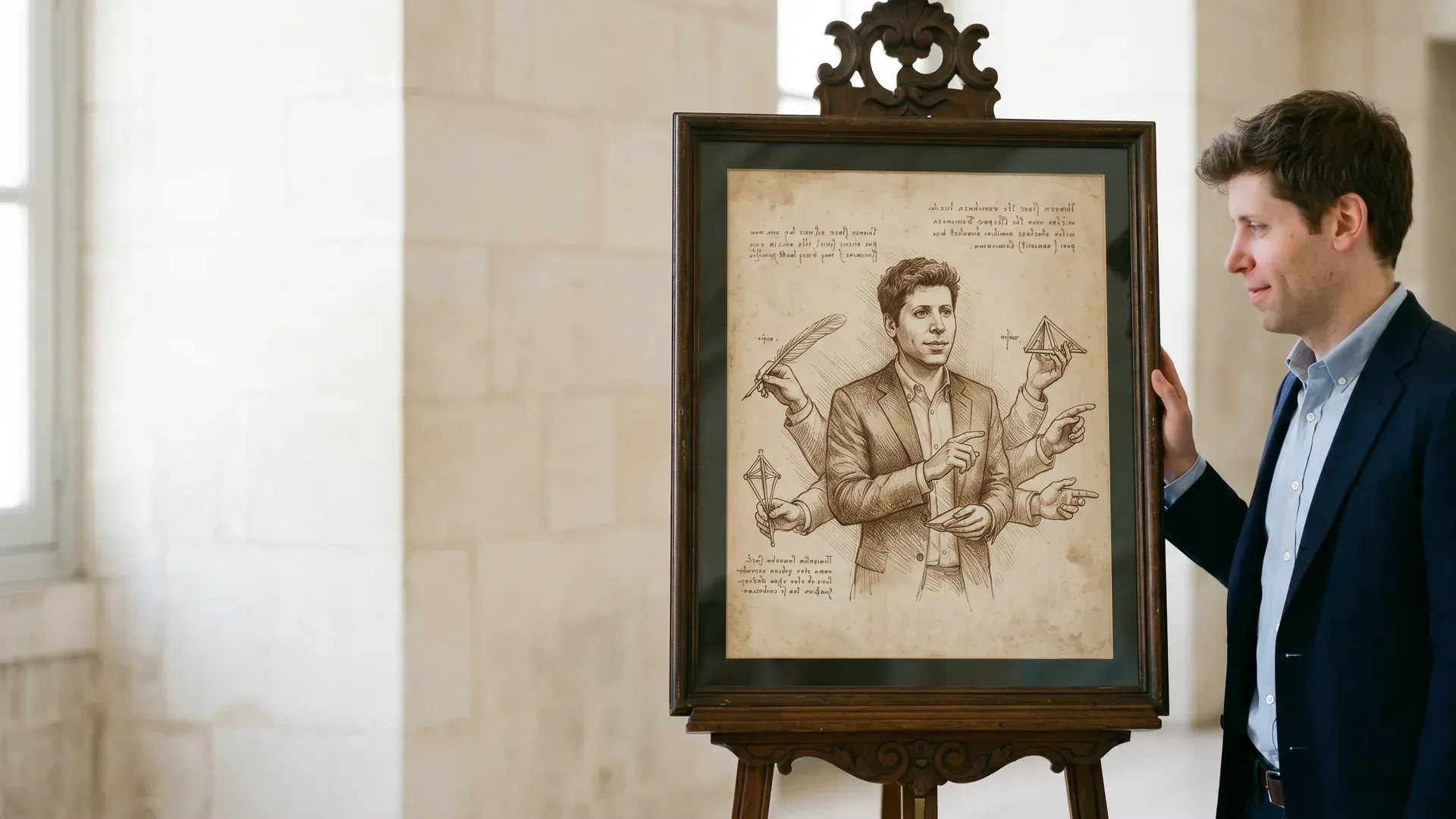
**landscape** — 1920×1080

![landscape](_featured-images/_pending/your-ai-assistant-just-got-hands/your-ai-assistant-just-got-hands-landscape-1920x1080.webp)
← Back to Digest

Your AI Assistant Just Got Hands

OpenAI's new Chrome extension for Codex isn't just browser automation — it's the first real attempt at AI agents that can see and control the same interfaces creatives use daily.

Your AI Assistant Just Got Hands
Subject: Sam Altman (OpenAI CEO).

OpenAI just rolled out something that sounds boring but isn't: a Chrome extension for Codex that lets AI agents run browser sessions independently. They're testing "Remote Control" functionality too.

This isn't about coding. This is about what happens when AI can actually operate the tools we live in every day.

Right now, every AI workflow I run hits the same wall: I can get Claude to write the perfect article, but then I have to manually navigate to Ghost, paste it in, format it, add images, set categories, schedule it, and share it on social. The AI does the thinking; I do the clicking.

That handoff kills momentum. You're in flow with the AI, bouncing ideas back and forth, then suddenly you're dragging files around and clicking through menus like it's 2010.

The Interface Problem

Most AI integration discussions focus on APIs and plugins. But that's not how creatives actually work. We work in Figma, not Figma's API. We work in Webflow, not Webflow's documentation. We work in Ghost, Adobe Creative Suite, Notion — visual interfaces built for human hands and eyes.

Browser control changes this completely. Instead of waiting for every tool to build AI integrations, the AI can just use the same interfaces you do. Show Claude how to upload images to your CMS once, and it can handle hundreds of uploads using the same visual process you'd use.

I've been running automated content pipelines with Claude and Ghost for months. The writing part is smooth. The publishing part is still manual busywork. An AI that can see buttons and click them eliminates that friction entirely.

What This Actually Looks Like

Imagine training an AI assistant by screen recording instead of prompt engineering. You show it how to update a client's website, how to format posts for different platforms, how to resize images in an online editor. The AI learns by watching, not by reading documentation.

This is fundamentally different from traditional automation. Selenium scripts break when interfaces change. An AI agent adapts the same way you do — it looks for the submit button even if it moved to a different corner.

The HTML effectiveness research from Anthropic's Claude Code team backs this up. HTML output dramatically outperforms Markdown for creative workflows because AI works better with rich, visual formats. Browser control is the logical next step: AI that doesn't just output HTML, but actually manipulates it.

The Creative Workflow Revolution

This isn't about replacing creative work. It's about eliminating the administrative overhead that prevents you from focusing on creative decisions.

Right now, if I want to publish the same article across three platforms, I need to manually navigate to each one, adjust formatting for their specific requirements, upload images multiple times, and remember each platform's quirks. With browser control, I could show an AI this process once and have it handle the distribution while I focus on the next piece.

Content creators are already demanding this. There's a running joke that all clients wanted carousels, now they want AI chatbots. But what they really want is AI that can actually do things in their existing tools, not just generate text they still have to manually implement.

The Training Problem

Here's what makes this different from previous automation: the training method. Instead of writing detailed prompts or waiting for API integrations, you train the AI by demonstration. It's like hiring an assistant who learns by watching over your shoulder.

I've seen this with my own Claude Code experiments. When it took over my Ghost theme redesign, it wasn't just clicking buttons randomly. It was making aesthetic and functional decisions based on understanding the platform's creative possibilities. That's not automation — that's delegation.

The challenge isn't technical capability. It's trust building. Nobody's going to let an AI agent loose on their client's website until they've tested it extensively on low-stakes tasks. The early adopters will start with repetitive work: uploading assets, formatting posts, data entry. Trust expands from there.

What Changes

Browser control means AI moves from being a writing assistant to being a creative operations manager. It can handle the entire pipeline from ideation to distribution, using the same tools you use.

This solves the current AI workflow problem where you're constantly context-switching between AI chat and creative tools. Instead of copy-pasting between interfaces, the AI works directly in your creative environment.

It also democratizes complex automations. You don't need to be a programmer to automate repetitive creative tasks anymore. You just need to be able to show an AI how to do something once.

The real test isn't whether this technology works — it's whether creatives will trust it enough to actually use it. But given how much time we spend on interface busywork instead of creative work, I think the answer is yes.

Your AI assistant just got hands. The question isn't whether it'll learn to use them — it's what you'll build once you're not clicking buttons all day.


## Generated Images

> Seven variants below — three standard compositions, one documentary (foreground bokeh), and three dynamic-angle "spatial" compositions for parallax video.
> To request a fix on any one, add a checkbox under `## Image Touch-ups` like:
> `- [ ] spatial-square: remove the random hand on the right`

**landscape** — 1920×1080

![landscape](_featured-images/_pending/your-ai-assistant-just-got-hands/your-ai-assistant-just-got-hands-landscape-1920x1080.webp)
// LEXICON_CITY_DISPATCH_REQ
// STATUS: CONNECTION_STABLE
// SOURCE: CENTRAL_DISPATCH_HQ

SHERMAN UPLINK: "I'm at HQ holding down Central Dispatch. Enter your query below to pull relevant data records and I'll see what data cards we've recovered!"