Getting one good image of a character is easy now. Getting the same person back in the next shot, in different light, doing something else, is where most AI work falls apart.
Every technique below comes from a creator we've broken down on the site, with a link to the full piece if you want the whole workflow. They run roughly in order, from before you generate anything to the last pass in the edit.
1. Build the character as stills first
Robert Gaudette wrote the script and a rough shot list for A Face Only A Mother Could Love, then built his characters and environments as still reference images before he tried to animate a single frame. The film won the $50,000 Grand Prix at Runway's 2026 AI Festival.
Neural Viz works the same way at TV scale: a full script, a storyboard, and a generated still for every panel, holding lighting and sight lines steady so the cuts hold up later.
→ How Robert Gaudette made his Runway-winning short · Neural Viz's workflow, tool by tool
2. Pick one canon image and never re-roll it
Choose one image of your character's face and feed it back as the reference on every generation. A clean, front-facing image locks better than a busy or angled one. Give the character a name in the prompt, and use the exact same words for them every time: "wavy red hair" and "curly auburn hair" will get you two different people.
→ The full character consistency guide, tool by tool
3. Write every prompt as if the model has never met your character
PJ Ace made the NBA Finals ad that ran on TV for about $2,000. Each of his prompts describes its scene completely, as if Veo has no memory of the shot before or after it, and that's what keeps his characters and settings consistent. He also caps it at five prompts per request: "any more than that and the quality starts to slip."
→ PJ Ace's NBA Finals ad workflow
4. Put the character into the frame instead of describing them into it
On a Qatar Airways job, PJ Ace photographed the real cabin for reference, laid the shots out in Figma, and composited his characters into the base frames with Nano Banana over dozens of iterations before animating anything in Veo 3.1.
Carry the same idea shot to shot: lock the character in the first image, then use that exact image as the reference for the next one and change only the background or the action.
→ PJ Ace's NBA Finals ad workflow · Scene-by-scene technique in the consistency guide
5. Keep every shot swappable
Mickmumpitz builds his films in ComfyUI from character references, set references and a voice sample, one shot at a time. "Nothing is baked in," he writes. "Every shot is built from swappable references, which means you can rewrite a character, relocate a scene, or recast the lead at any point — for the cost of regenerating one shot." He publishes the workflow file free with the video.
→ Mickmumpitz's free ComfyUI workflows
6. When references stop being enough, train the character
Mickmumpitz has spent two years on this. His October 2025 masterclass takes one image of a character, generates a captioned training set from it, and trains a custom LoRA. By July 2026 he was putting a whole cast into one LoRA without the characters bleeding into each other. Every version has a step where you check the captions by hand before training.
→ Mickmumpitz's LoRA workflows
7. Check every image against a character sheet
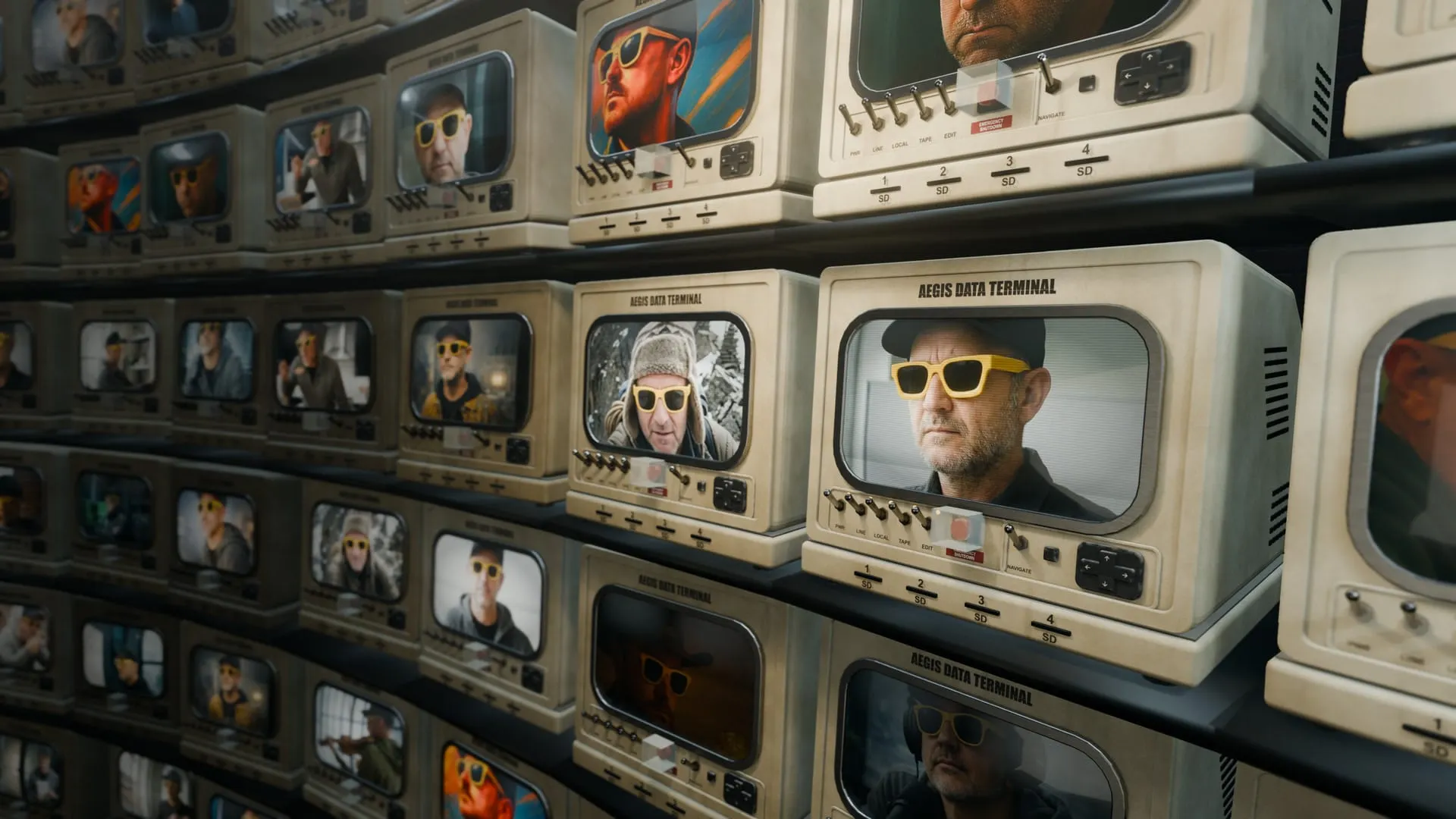
I kept getting the wrong sunglasses on my own character, so I wrote character sheets for everyone in my story and set Claude to compare each new Nano Banana image against them and retouch until it passed. Two things made it work. Don't let the model that made the image grade it: a separate model catches far more. And allow more than one fix: going from 2 retouch attempts to 4 made a clear difference.
If you're doing it by hand, put the images side by side before you publish and fix just the one detail that's off.
→ How I automated character consistency
8. Throw out the good shots where the character moves wrong
This is the one the juries noticed in Gaudette's film. He decided his lead, Marcel, was gentle, hopeful and slightly formal, then asked of every shot whether it still felt like him. "Sometimes I would get a shot that looked technically impressive, but Marcel moved too confidently, too aggressively or simply in a way that didn't belong to him. So I wouldn't use it." He also kept a rough edit running the whole time, because a shot can look right on its own and wrong next to everything else.
→ How Robert Gaudette kept Marcel the same person
Where to see it done well
- Delphi Motion Pictures holds one man's face across a dozen cuts and lighting setups in INDEX 8. The method isn't public, but it's a good benchmark for what the finished result can look like.
- Visionaist's RECÉDE got 60 of its 90 seconds from a single Seedance 2.5 multishot generation, which means far fewer cuts where a face can drift.
- Grace Green Space keeps the same freckle pattern and the same blue eyes across piece after piece, to the point you could identify her work unlabeled.
There's a new breakdown in your inbox every week. The rest are in Creator Stories.