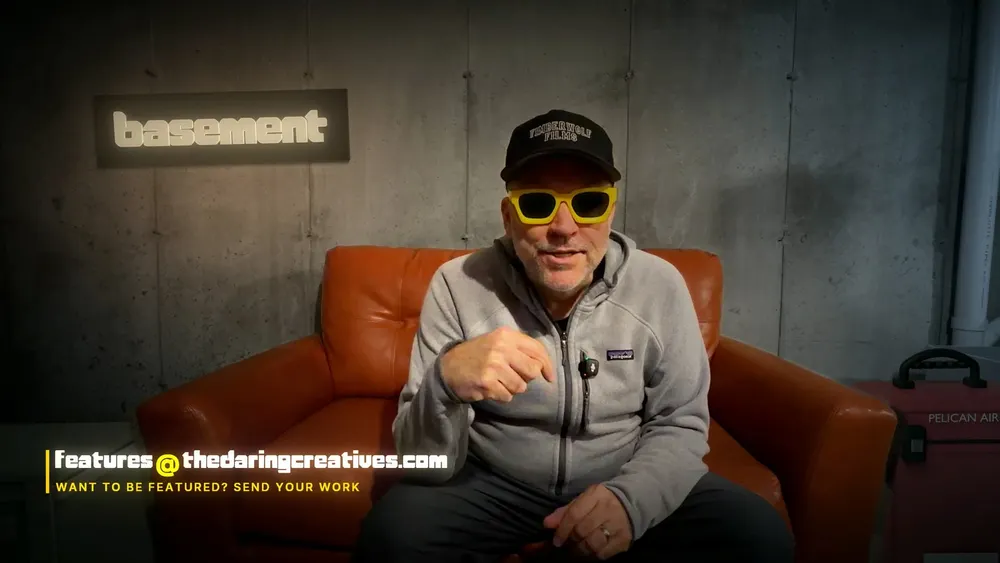
These are my notes from making Episode 1 of Basement, a weekly show about artists who use AI in their work. I shot it on my iPhone in my basement, on an orange couch, under one bulb on the ceiling. I didn't buy a light kit.
Claude Code wrote and ran every script, using a video pipeline I've been refining. My job was to shoot, watch the renders and give my feedback. I worked on it casually over six days, mostly because I was experimenting.
If you've never had an AI write and run code for you, start with my beginner's guide to vibe coding.
I asked Opus 5.5 to document the process as we refined it and to draw this diagram of how it all fits together. While I was in it, I was working on one box at a time.
Shooting it
iPhone on a tripod, locked off, 4K. I never moved it, and later that turned out to be the only reason anything lined up. A wireless lav on my fleece recorded my voice to its own file.
I had a laptop at my feet with the script on it. I'd look down, read the line to myself over and over, then look up and deliver it. Head down, read, head up, talk. That's most of the raw footage.
Then I shot the room with nobody in it: a pan from the couch over to the stairs that go up to the hatch, a pan to the washer and dryer, and a corner of wall with a Chewy box on a desk. I also held the phone vertical and filmed myself folding laundry, for a shadow later.
Claude lined my voice up with the camera by matching the loudness of the two recordings. It cleaned the voice with the same chain I use on the audio podcast and transcribed it with a timing on every word. That's how every cut got placed.
The couch
The first test cut me and the couch out and dropped me into the 3D basement from my day with GPT-6 Astra in Blender. It looked fake. There was a halo around the couch, everything was soft, and the light on me didn't match the room.
So I told Claude what I was after:
I don’t have a light kit, and I don’t anticipate buying one for this. I wanna see to what degree we can be creative in a space without having to dress it up too much and still make it look like what we want. That’s kind of the experiment
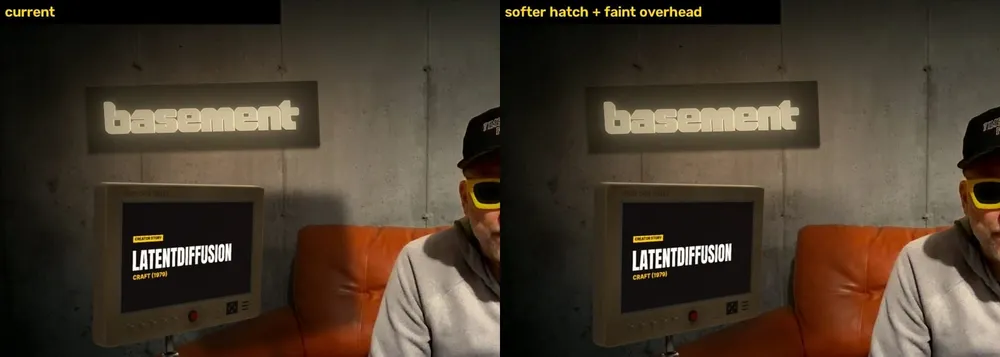
I kept the real room and changed the light. Claude took the room down and painted light back in: cool all over, a warm pool, a soft oval over the couch. Two early versions put a glow around me shaped like me, and it read as an aura. A plain oval fixed it.
The sign on the wall, an AEGIS crate and a red Pelican case are 3D, rendered from a camera matched to my iPhone, so they sit in the room and take the same light. Every light runs off a text file, one line per frame, with a number for the sign, the room and the door. To change a light, Claude changes a number and renders again.
Then the moonlight. I asked what a shaft of it coming in from the open hatch would look like. The first versions had hard bars of light that made no sense, so I told Claude where the hatch actually is:
Hatch are two doors which open outward but they probably wouldn’t cast light that way they would come from the left just to the right of the couch if you are sitting on it about 4 feet away
It ended up as a soft light raking in from the left.
On shoot day the tripod wasn't in quite the same spot as on the test days, and the room looked crooked to me. Claude warped and levelled the new footage to match.
The cold open
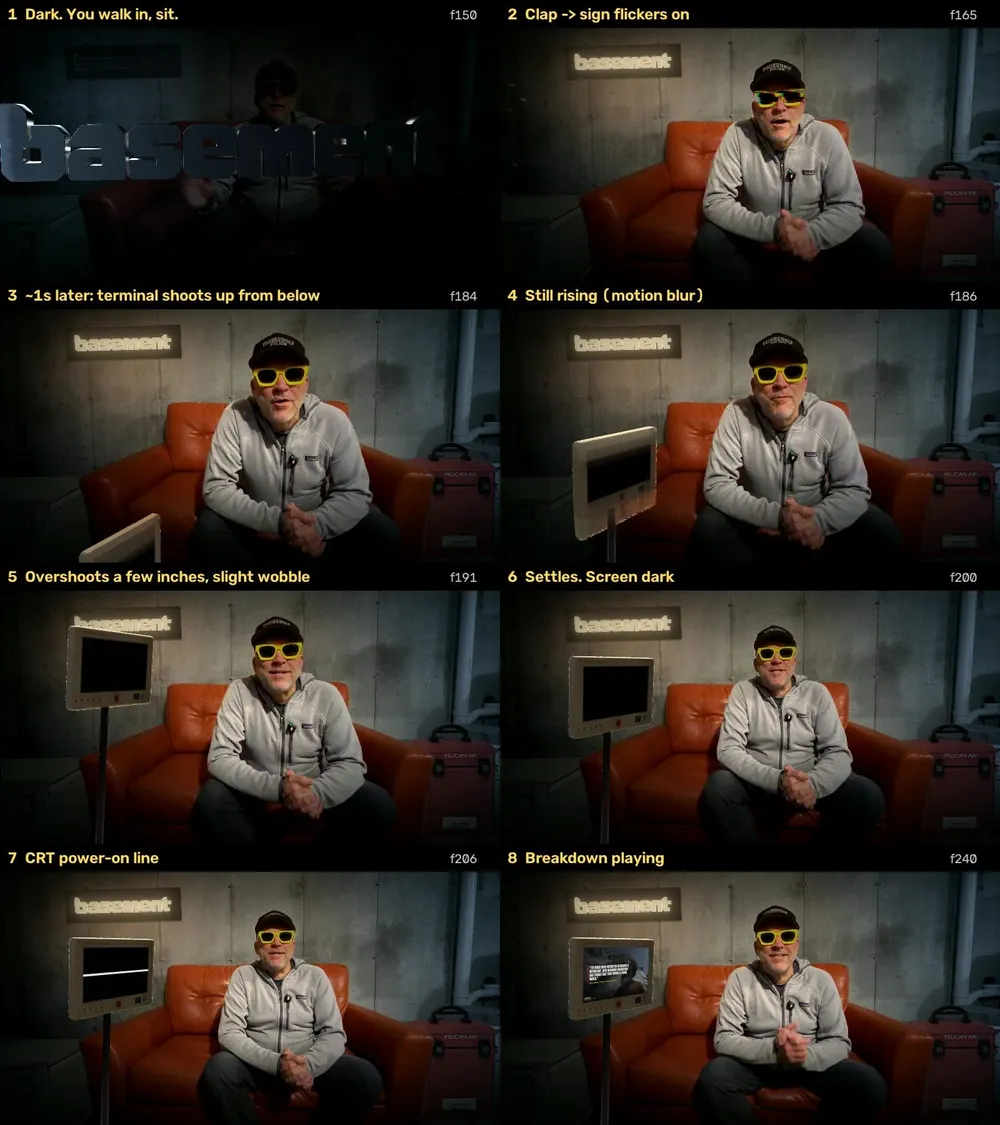
The hatch opens with the music, moonlight comes across the dark room, and I walk in and sit down. A 3D logo hangs there, unlit. It pops, I clap, and the sign flickers on. That flicker lights the whole shot, and it's my favourite part. My sunglasses go yellow as the light hits them.
That took six versions. A lit logo flying onto the sign just covered it up. Slow particle swirls felt wrong, because light is fast. I dropped a camera push-in and kept the camera still.
I also had a walk-down from outside the hatch built in 3D. It's parked. A full-quality render was going to take about six hours on my M1.
The tablet
In a test take I held a device and wanted it to become an AEGIS data tablet. First I tried AI inpainting on fal, and it never ran.
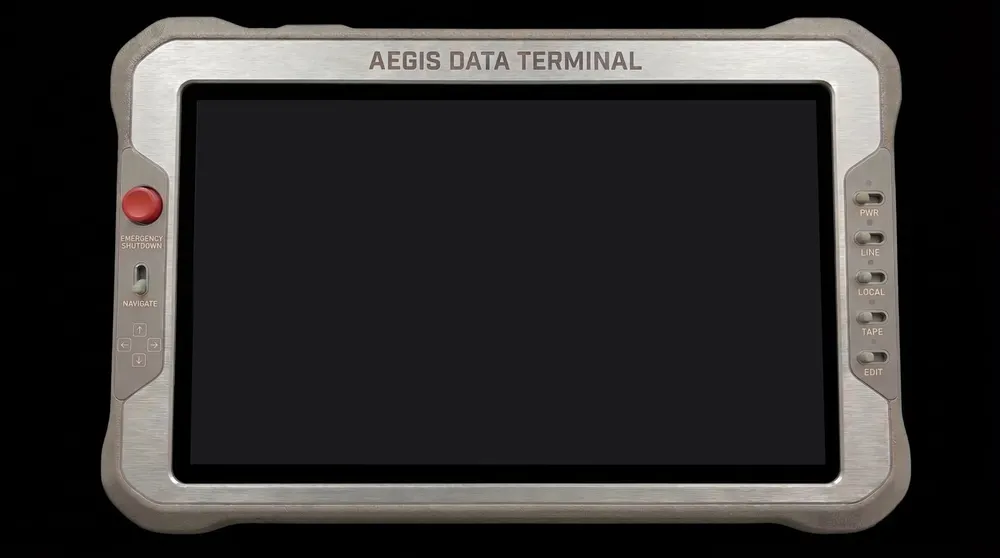
Then Claude tracked the screen and painted the tablet over it. That fell apart when my hand moved. A 3D tablet following my hand was better, and it still broke every time I moved. So I took it out of my hand:
Yeah have it there on a stand. Kind of turned so I can see it but the camera can see what’s on it as well.
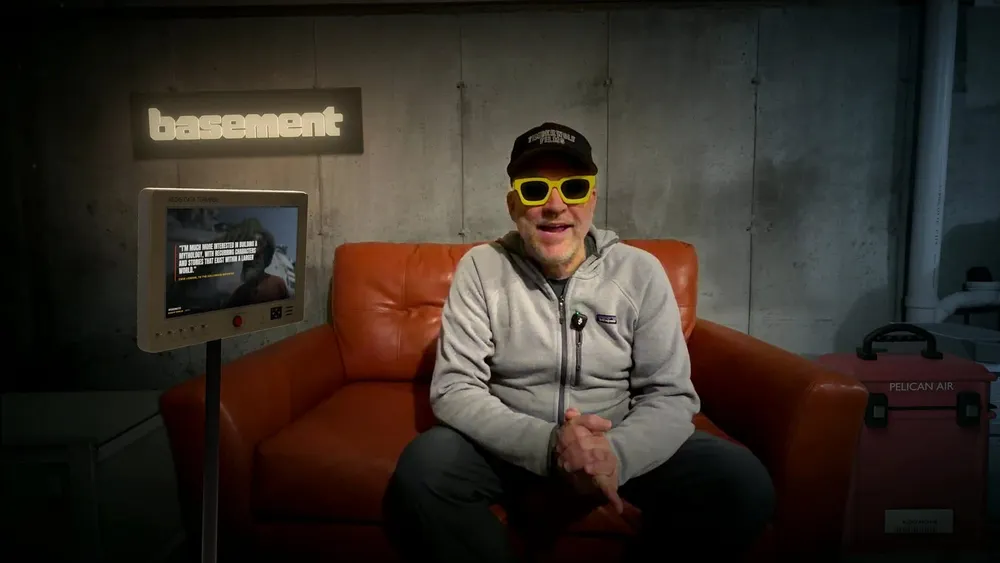
Then I thought, what if it springs up into the shot. After that it was rounds of notes: beige hard plastic with some wear on it, "AEGIS DATA TABLET" with the buttons lined up, a gas strut that telescopes and stays hidden until it launches, motion blur, and a soft shadow on the couch. To sell the effect, it needed that shadow. None of the shadows in these shots were in the room. Every one was added after the fact. Claude made the sound too, a gas-spring launch, a thunk at the top and a little rattle. I had it take out a hum that kept distracting me.
The stairs and the dive
When I say "let's pull up" an artist's work, a whip pan cuts to the stairs, where their work plays on the tablet while I keep talking. The stairs shot is built on the empty pan. For that pan I put an Aputure magnetic light on the bulkhead at the top of the stairs to get the light I was looking for. The show opens with the sound of the hatch, so it made sense for the hatch to be part of the set, and the lit stairs made a nice background for the data tablet where I watch the films.
I've always loved whip pans. I first saw them in Peter McKinnon's YouTube videos, where he showed how to do them in camera. I was never very good at it, but it's a great way to switch perspective in a transition.
Each whip lands in a pause between my sentences, and the whoosh is made from how fast the picture is moving. Then the room goes dark until the screen is the only light, and the camera dives through the glass into a piece of my breakdown of their work.
I had a breakdown for Mathery's Where Knights Fall. Claude made the other three overnight, for LatentDiffusion's CRAFT (1979), Junie Lau's Goldfish Mayhem and Alex Viegas's The Sower. When I watched the first full cut, the snippets all sounded the same, so I asked for each one to use the song from that artist's reel.
The washer
I spend a good amount of my time in the basement at the washer. I love the white noise of it, and I watch a lot of the films I review on the site while I do laundry. So the news lives there.
For the news I shot a pan to the washer and dryer. Claude pitched graphic overlays first, and I didn't like any of them. I asked for a dark set like the stairs, with the news on the left.
The first whip there dipped to black in the middle. Using my real pan footage, sped up, fixed that. The next one moved like a pan, a stop and a zoom, and I asked for one move.
I wanted something going on in the background, so the laundry clip became my shadow, folding clothes. Then I asked where that shadow would really fall if the light comes from the hatch. Claude built a simple 3D version of the corner to check and came back with two options. I picked a big soft shadow across the machines.
The news card turns on like an old TV: a dot, a line, then it opens. Episode 1 had three items: Grimes in Gods Don't Give Gifts, chapter seven of Kavan the Kid's Chronicles of Bone, and Kelly Boesch's new music video. My voice goes over a quick montage, then the clip's own line plays out whole. The Grimes piece had cuts that sounded like different clips to me, so it's one take now.
My name and the website
The lower third has my name and "THE MAN IN YELLOW SUNGLASSES", in the Cutstone font from the site.
The Man in Yellow Sunglasses is my alter ego in Lexicon City. The glasses make recording much easier, because I don't have to hold strict eye contact with the lens. You can do cool things with them in animation, like the glitch from dark to yellow in the cold open, and they're a great style element. They've become my trademark look. He's also the example character in my AI character consistency guide.
I like that they're yellow because yellow is my outlook: positivity and optimism. I was a Seth Godin fan growing up, so I may have been influenced by his yellow glasses without knowing it. The chunky frames are an ode to Mel Robbins, who I think is a goddess, whatever anyone else thinks. Claude showed me two looks and three animations. I took the bare one with the same TV power-on.
When I say all the artists are on the site, it cuts to the site. Claude recorded the new design in Chrome from my local copy, before it launched: the home page, the creator stories index, a click into LatentDiffusion's story. At normal speed the page transitions dropped frames. Slowing the animations to a quarter speed while recording, then speeding them back up, fixed it.
The wall corner
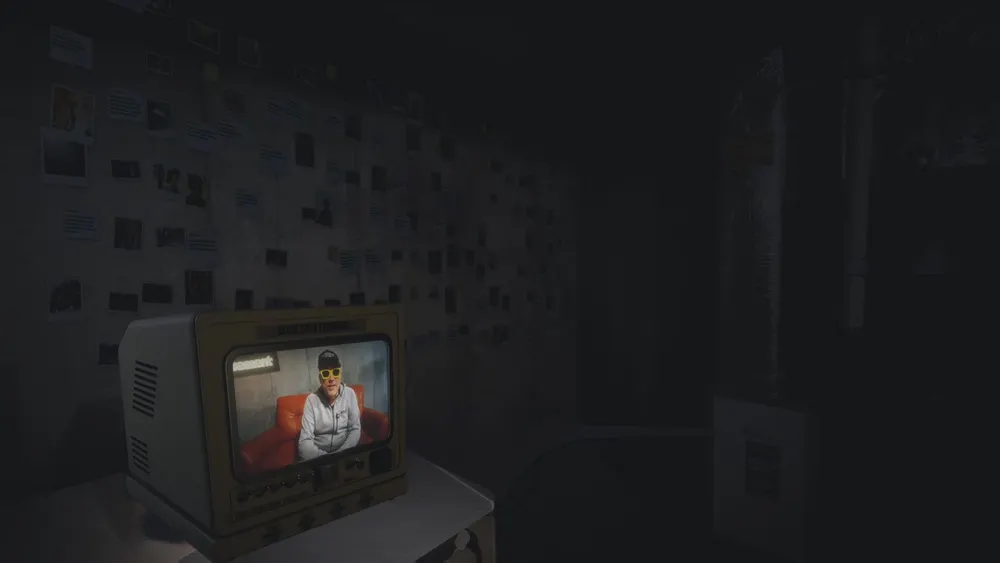
The ending is lights out on the couch, then a dark corner with notes taped all over the wall and an AEGIS terminal on the desk that powers on and plays the episode. That's where YouTube's end screen sits. The wall matches the site's new design.
I shot a blank wall with a Chewy box standing in for the terminal. The notes on the wall are photos from my carousels next to story headlines from the site. The terminal came from the Blender kit from my Monolith videos.
This was the hardest shot. For hours it looked like a real room with something fake pasted in, and I couldn't say why. So I turned the lights off, put a real monitor on the desk and shot that:
Just shot this as a reference so that you could see how to adjust the coloring of the black of the back wall.
It showed me what I had wrong. A screen barely lights the wall behind it, the desk catches most of the light, and the dark parts of an iPhone night shot are blue-grey, never black. Claude matched those numbers and it finally looked like a photo. The terminal was putting out about two-thirds of the light on the wall, so I had that cut to a quarter.
Putting it together
Claude rendered the episode in seven chunks, so a piece I'd approved never had to render again, then joined them and set the loudness once. One chunk had 48 kHz audio and the rest were 96. That garbled the end-screen audio in two versions before I caught it.
Because of the laptop, a lot of my good lines start or end with me looking down. Claude found the frames where I'm looking at the camera by counting yellow sunglasses pixels, and cut on those. It also made a punch-in from the 4K frame so the edit doesn't go wide to wide.
Renders could take 40 minutes. When I asked for the outro to go straight into the ending with no freeze, Claude also added me getting up and walking off. I told it:
Please don’t freelance like that when we have 40 min re render times.
I approved version 8. It runs 5:33.
Getting it out
Claude set up YouTube by driving Chrome: chapters, captions with the artists' names fixed, a card to each artist's full breakdown, the end screen timed to the wall scene, and a test of three thumbnails. I dragged the file in.
The podcast is on Transistor, and my plan there is audio only, so the podcast page plays the YouTube video. The four audio episodes from October are now called Basement Notes, so this one gets to be Episode 1.
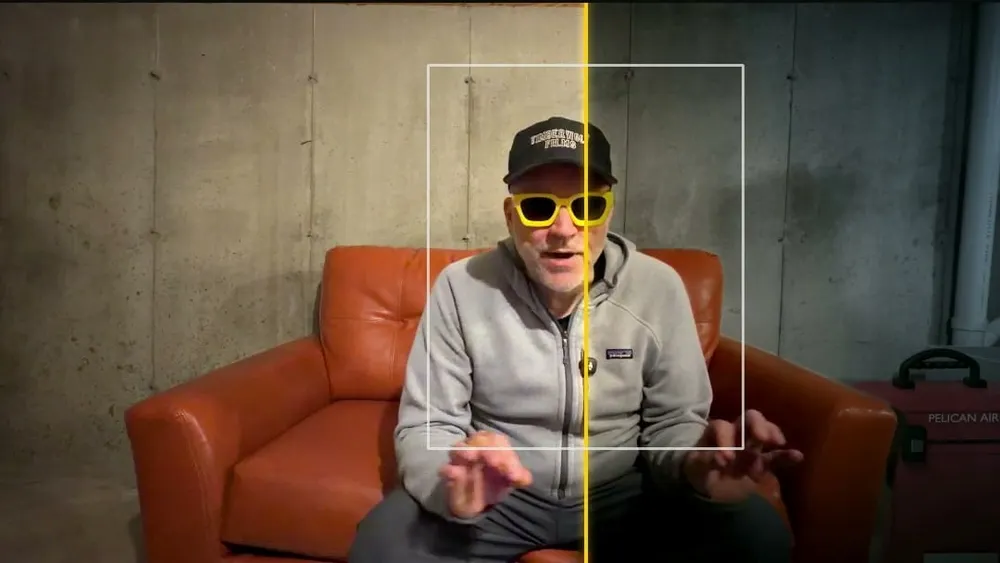
The first social cut is a before-and-after: a yellow line wiping between the raw iPhone take and the relit episode, lined up frame for frame.
For Episode 2
- Lock the camera.
- Put the voice on its own mic.
- Shoot a reference of anything you're going to fake.
- Look at stills before anything gets animated.
- Ask for exactly the change when renders are slow.
- Match the audio sample rates before joining.
- Keep the scripts in the project folder from day one. Episode 1's were in a temp folder that gets wiped.
The script for Episode 2 is talking points instead of lines, so there's less staring at the laptop.
The rest of my guides are in the Toolkit.